Calculate 3D Printer Steps per Millimetre from Your Hardware
By admin
When a printer moves the wrong distance after a motor or pulley change, work out the expected travel from the hardware before correcting the firmware. Marlin can express travel as steps per millimetre. Klipper uses rotation distance along with the motor’s full steps per rotation and the configured microsteps. Both approaches describe the same relationship between commanded pulses and motion.
Start with travel per motor turn
For a belt and pulley with no gearbox, multiply the belt pitch by the number of pulley teeth. A 2 mm-pitch belt and 20-tooth pulley give 40 mm of belt travel per revolution. Count the teeth on the motor pulley and confirm the belt pitch from the part specification. An idler that simply redirects the belt does not set this ratio.
For a directly coupled lead screw, use the lead, which is the nut’s movement over one full revolution. A screw with a 2 mm pitch and four starts has an 8 mm lead. An otherwise similar single-start screw moves 2 mm per turn. If your motor drives the axis through reduction gears, record the gear ratio separately using your firmware’s convention.
Convert the travel to step pulses
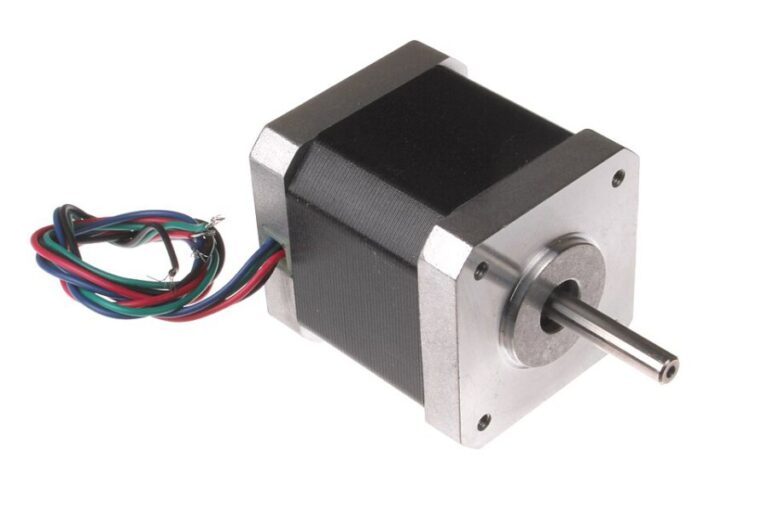
A 1.8° motor has 200 full steps per revolution. At 16 microsteps per full step, the controller issues 3,200 pulses per turn. Dividing by 40 mm gives 80 steps/mm for the belt example. Dividing by 8 mm gives 400 steps/mm for the screw example. In Klipper the corresponding rotation distances for these direct-drive examples are 40 and 8 mm.
Verify without chasing print shrinkage
- Back up your printer configuration and confirm the motor, microstep mode, pulley teeth or screw lead.
- Check the travel limit and use a short, slow move where the carriage has room to stop.
- Confirm commanded travel with a suitable measurement reference on the mechanism.
- Investigate repeatability, belt slip and binding before changing settings repeatedly.
A printed part can measure small because of extrusion, material shrinkage or cooling. Use the motion hardware as the source of truth for axis steps. If the axis moves correctly, tune the print process or model clearance against the actual mating part.